
Updated 2026-10-27 · 7 min read
TikTok LIVE bans: why streams get blocked and how to avoid restrictions
Your stream is going well, viewers are coming in, and suddenly it ends with a message about a rules violation. Sometimes TikTok then turns off LIVE or gifts for several days. Most bans happen because of the same few mistakes. Here is what penalties exist, what gets streamers banned most often, where to see the violation and how to appeal it.
What penalties exist
TikTok escalates penalties: the more serious the violation and the more often it repeats, the stricter the measure. Rules change and differ slightly between countries, so the most accurate information is always in the app.
- Warning: a violation notice without restrictions.
- Stream ended: moderation, often automated, cuts the stream while you are live.
- Temporary LIVE ban: the LIVE button is unavailable for a few hours to a few days.
- Monetization restriction: you can still stream, but gifts and other earning features are off.
- Reduced visibility: the stream doesn't appear in recommendations.
- Permanent LIVE removal: the LIVE feature is taken away from the account for good.
- Account ban: the last resort for serious or repeated violations.
How strikes work
Each violation is recorded on the account as a strike.
- Strikes are counted per policy and per feature. LIVE violations mainly affect LIVE access: first a temporary restriction, then a permanent one.
- Each strike expires 90 days after it was issued if there are no new violations.
- Repeating the same violation within 90 days is punished more strictly than the first time.
- For threats or calls to violence, child sexual exploitation and showing real violence, the account is banned immediately and permanently.
10 common reasons streams get banned
- Empty, static or pre-recorded streams: a picture, an empty room, a sleeping streamer or a looping video count as low-quality content.
- Other people's content: movies, series, football, TV channels and other creators' streams. Reactions are fine if you take up most of the stream.
- Unlicensed music: a Spotify track in the background can end the stream. Use TikTok's LIVE music library or sing yourself.
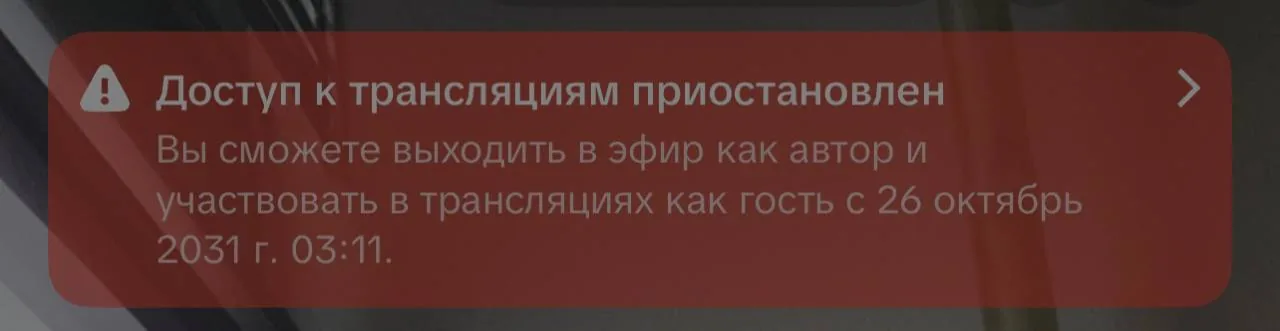
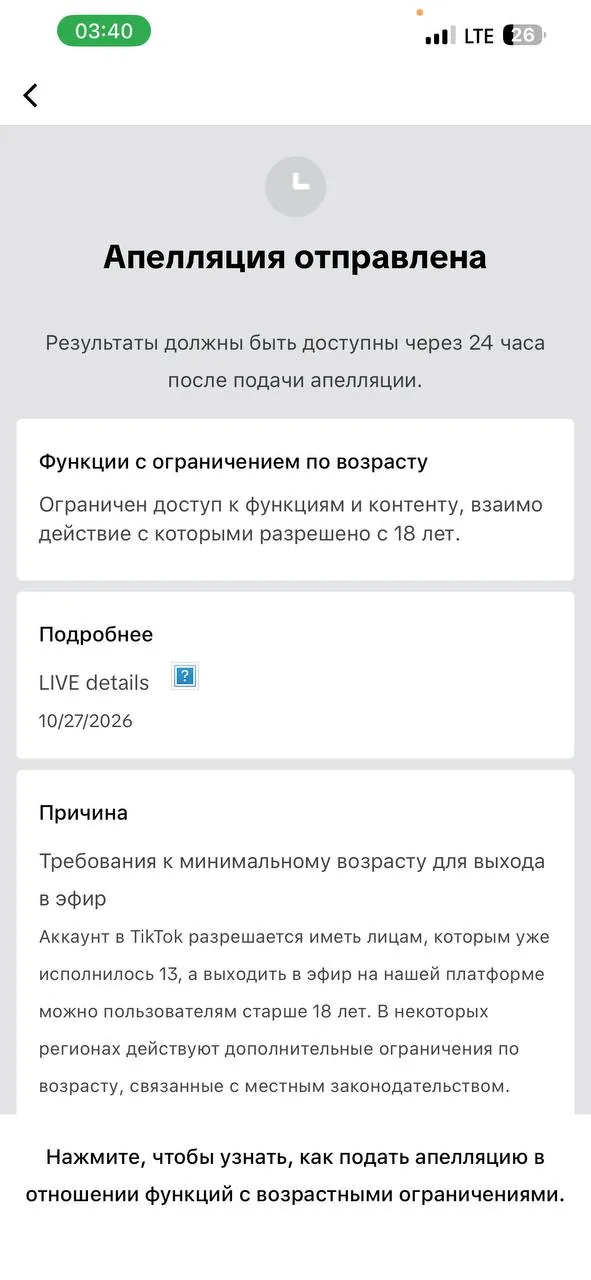
- Minors on camera and age doubts: you can go LIVE only from 18, and a child in the frame can stop the stream even without other violations. If TikTok decides the creator is under 18, LIVE access can be closed for years until the age is confirmed.
- Revealing clothing and sexualized behavior: automated moderation reacts fastest here.
- Alcohol, cigarettes and vapes: even a beer bottle on the table counts.
- Gambling and "spin the wheel for gifts": promoting betting and giveaways where entry is bought with gifts.
- Trading for gifts: asking for support is fine; promising actions, contacts or personal services for gifts is not.
- Links, contacts and redirects to other platforms: phone numbers, addresses, QR codes, calls to buy on outside sites.
- Insults, harassment and dangerous stunts, including rude chat messages you don't moderate.
Bots and fake engagement
TikTok detects and penalizes view, like and chat bots, like-for-like schemes and empty streams run to farm hours. The strike goes to the streamer, not the service that sold the boost.
Where to see the violation
When a stream is ended or restricted, TikTok sends a notification. Details are in Profile → menu ☰ → Settings and privacy → Account → Account status: it shows the policy you violated and how long the restriction lasts. LIVE violations are also shown in the LIVE safety education section.
How to appeal
Automated moderation makes mistakes, and a successful appeal removes the strike.
- Open the violation notice or find it in Account status.
- Read which policy is named: your appeal must address exactly that policy.
- Tap Appeal and describe the facts: what was on stream and why it didn't break the rules.
- Submit the appeal once: repeat requests don't speed up the review.
- While the appeal is under review, don't repeat the disputed moment on stream.
If you can't go LIVE
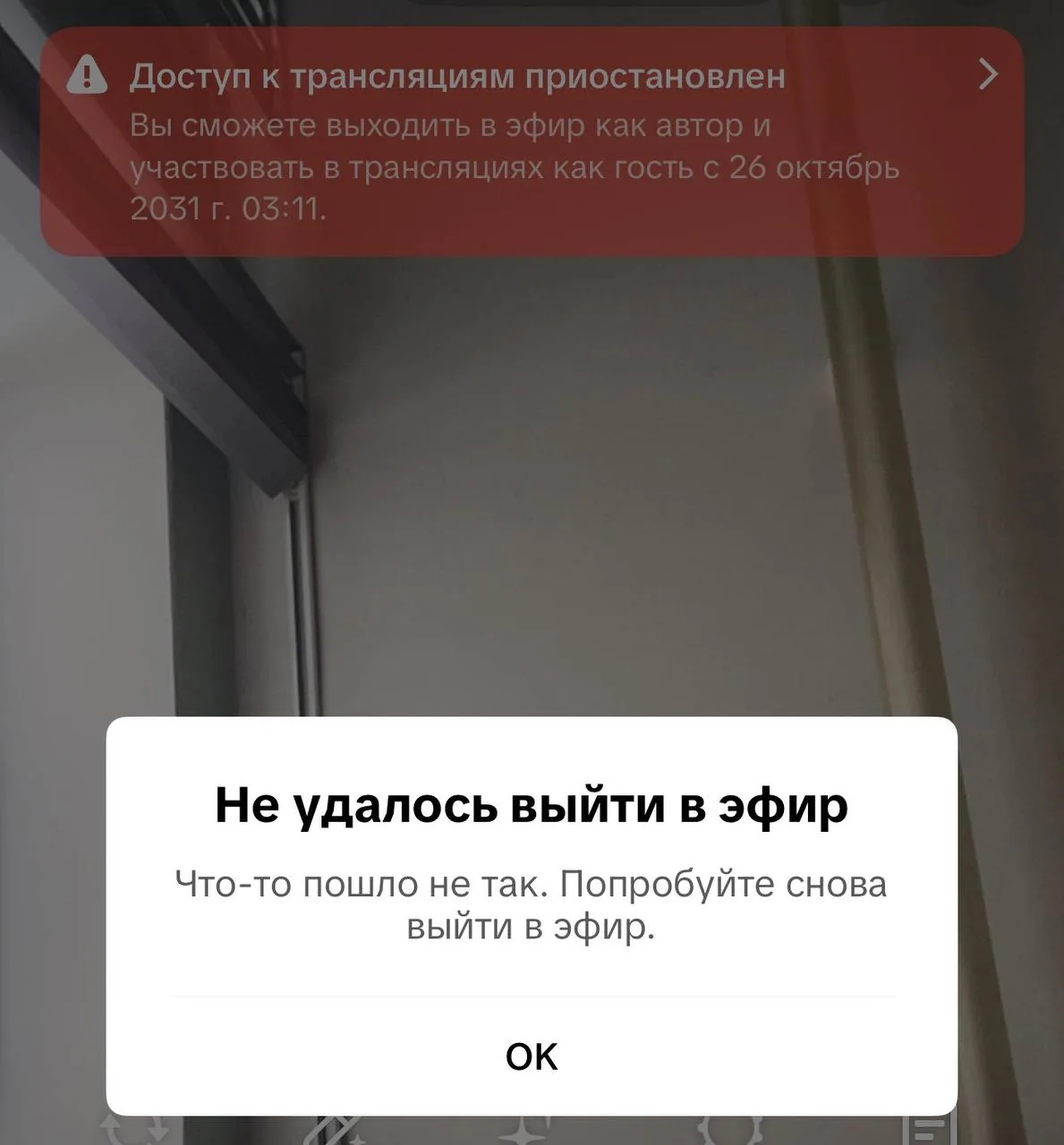
Sometimes the LIVE button is there, but the stream won't start and a generic "Couldn't go LIVE" error appears. Look at the banner at the top: if access is suspended, it shows the restriction term. If there's no banner, check Account status, update the app and make sure you meet the LIVE requirements in your country: age 18+ and the required number of followers.
Pre-stream checklist
- No alcohol, cigarettes, vapes or children in the frame.
- Your outfit is suitable for the stream.
- Music from the TikTok library or your own.
- No other people's videos, movies or streams.
- No phone numbers, addresses or QR codes on screen.
- Keyword filter on and chat moderators assigned.
- A stream plan so there are no empty pauses.
- No recent violations in Account status.
FAQ
- How long does a TikTok LIVE ban last? For a first violation it's usually a warning or a ban of a few hours to a few days. Repeat violations extend the restriction up to permanent LIVE removal. The exact term is shown in Account status.
- Do violations expire? Yes, each strike is removed 90 days after it was issued if there are no new violations.
- Can I ask for gifts on stream? Yes, you can thank and motivate viewers. You can't promise revealing actions, contacts or prizes in exchange for gifts.
- Will a new account help after a ban? Creating an account to get around a ban is against TikTok's rules. If the accounts are linked, the restrictions may extend to the new one too.
How StreamHub helps streamers
One accidental violation can cost a week of streams and missed missions. At StreamHub, a manager explains the LIVE rules to new creators in advance, reviews borderline moments in their streams and helps sort out a violation if it happens. The StreamHub Club dashboard has TikTok LIVE training modules, including how to set up a chat keyword filter.