
Updated 2026-10-13 · 6 min read
How to get LIVE access on TikTok and start streaming
Not every account gets the LIVE button right away. TikTok's requirements depend on the country and change from time to time, but the basic conditions are similar everywhere. Here is what to check, how to start your first stream and how to keep your access.
Main requirements
- Age: you must be 18 or older to go LIVE and receive gifts.
- Followers: in many countries you need a certain number of followers to get LIVE access, often around 1,000. The exact threshold depends on your region. If you join an agency, you can get around this requirement. See below.
- Clean account history: recent Community Guidelines violations can limit your access to LIVE.
- Up-to-date app: some LIVE features only appear after you update the app.
LIVE access through an agency without 1,000 followers
If you have fewer than 1,000 followers, you can still unlock LIVE through an official TikTok LIVE agency. After you join, the agency sends you a link to a trial task. This is your LIVE access: once you complete the task, you can stream as an agency creator even with fewer than 1,000 followers.
You still need to be 18+ and follow the Community Guidelines. Joining StreamHub is free.
How to start your first stream
- Open TikTok, tap "+" at the bottom of the screen and swipe through the modes to LIVE.
- Add a clear title: viewers should understand right away what your stream is about.
- Tap the arrow above the buttons to open all the tools: effects, enhance, settings, goals and promote.
- In Settings, check the stream quality, fill in About me and set up the comment filter.
- Check your lighting, sound and internet, tap Go LIVE and greet every new viewer in the first few minutes.
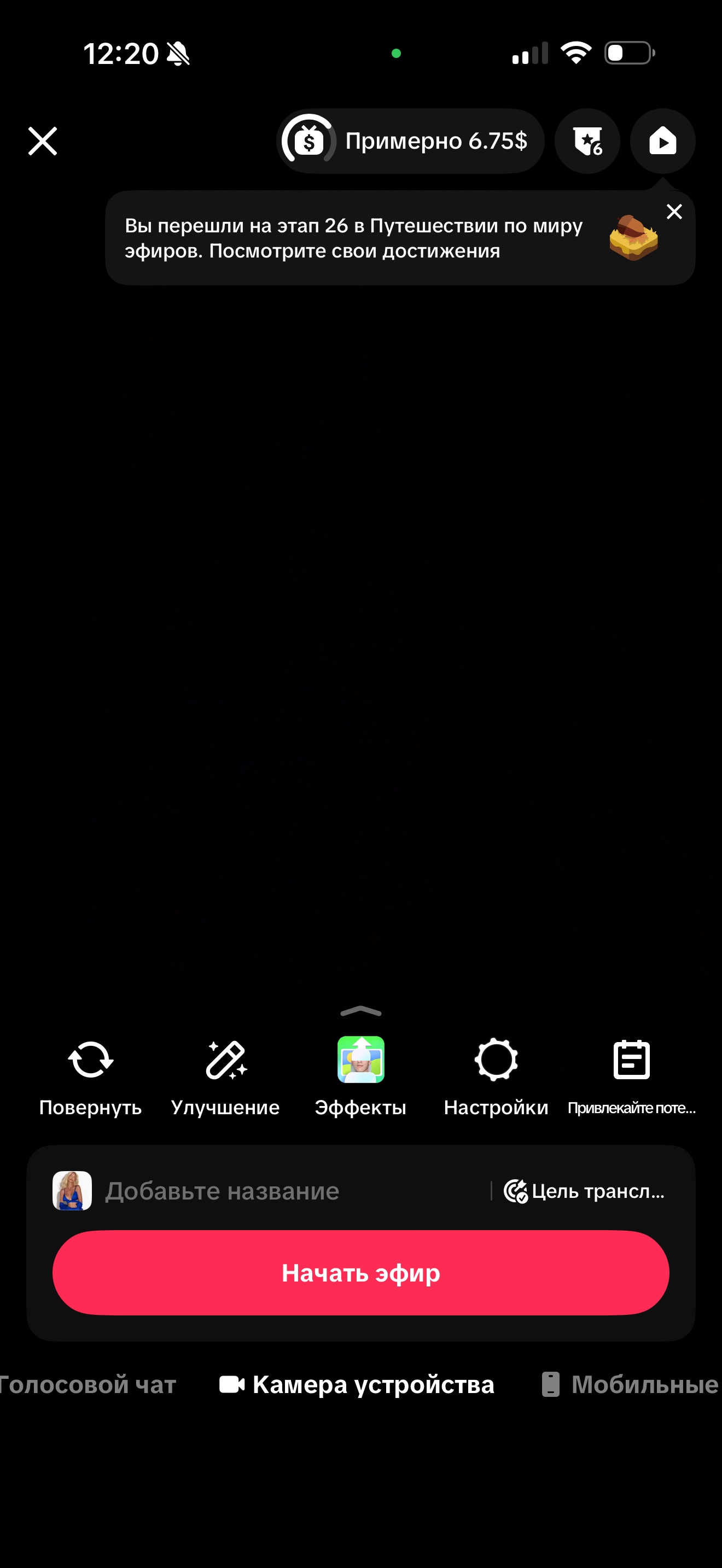
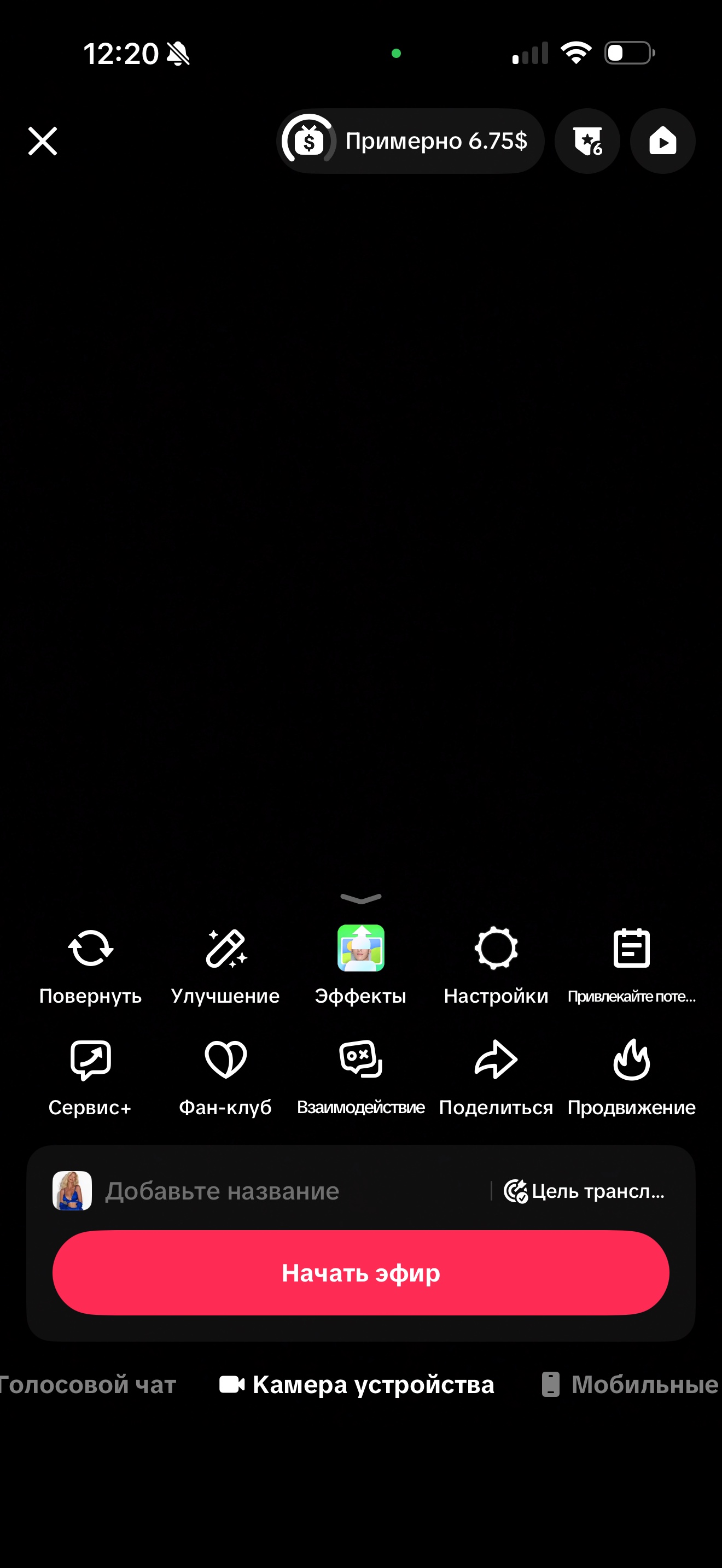
How to prepare for your first stream
- Choose a topic and plan the first 10 minutes: what you will talk about and what questions you will ask the chat.
- Let your followers know in advance: post a short video announcing the stream and its time.
- Put your phone on a tripod at eye level and face the light source.
- Plan to stream for at least 25 to 30 minutes. Short streams don't have time to gather viewers.
If there is no LIVE button
First check the age on your profile and your follower count, and update the app. Then look at your account status in the safety settings: if there are violation warnings, your LIVE access may be temporarily restricted.
While you wait for access, keep posting short videos. They bring followers who will later become the first viewers of your streams. Also set up your profile so new followers immediately understand what you are about. If followers are the only thing missing, the fastest way is to join an agency and complete the trial task.
How to keep your access
Follow TikTok's Community Guidelines: don't use other people's content, don't ask for gifts in exchange for prohibited actions and keep an eye on what happens in the chat. LIVE restrictions are not lifted right away, and you lose reach progress in the meantime.
Protect your chat in advance: LIVE settings have a keyword filter, and comments with those words will be hidden automatically. If something goes wrong with your account, the agency can help you find the cause and suggest what to do next.
FAQ
- How many followers do you need for LIVE? Without an agency, most often around 1,000, and the threshold depends on the country. Agency creators get access through a trial task even with fewer followers.
- Why can't I receive gifts? Gifts are only available from age 18 and can be turned off after rule violations.
- Can I stream from a computer? Yes, TikTok has a program for going LIVE from a computer, but not every account gets access to it. It is easier to start from your phone.